Lighting

At the risk of stating the obvious, photography is all about the light.

That was never more clear to me than during our visit to Grand Falls this week.

I used to look through the viewfinder and be completely oblivious to the lighting and it’s shadows (what was I thinking?).  I’d take all these pictures and come home and wonder what that line was going across my photo.  Now I look at that and wonder how I couldn’t see that when I was there.

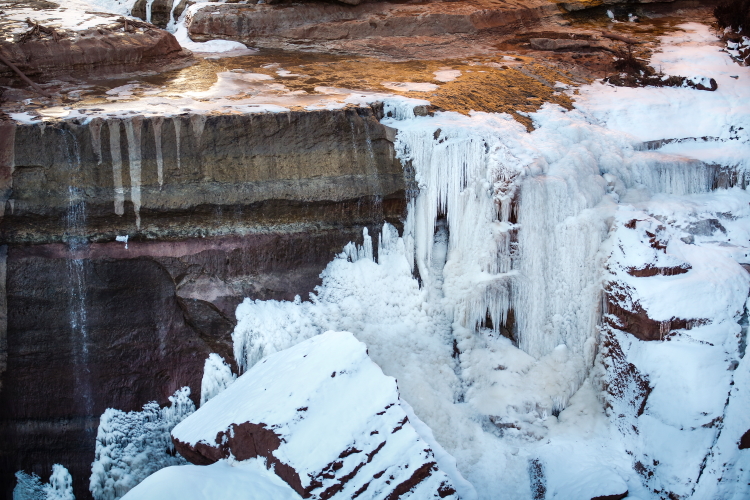
Case in point… on our trip to Grand Falls, this stark line struck directly through the center of the canyon.  The sun was going down, slowing putting all the fall pools and canyon completely in the shadows.

So I was forced to work fast on those areas that were still lit, and forget about the cool looking areas that were in the shadows.  Great light makes great photos.  Crappy light, well… you get the drift.

grandfalls shadowi

iciclefalls3PSi

Wacom Intuos Pro Tablet

Screen Shot 2014-12-13 at 12.54.29 PM

Have you seen the new Wacom tablet?

These things were all the rage with the photographers at the Photoshop World in Vegas.  I was completely oblivious to this technology and product until I was introduced to them at this conference.  Every photographer there seemed to have one.  Perhaps it was because they were given to them for free by Wacom (for product testing of course… I’m just guessing), or perhaps because they were just plain cool.

Think of this thing as a mouse.  But instead of a mouse, it’s a pen.  So if you’re doing Photoshop, this tool is super cool.  Using the tablet (mouse pad), you apply your pen to the tablet and you can use your Photoshop tools to apply your adjustments with a fine point.  Forget the days of chasing your mouse curser around the screen.  By merely applying more pressure you get more affect, or less pressure.. less affect.  You can get those fine hairs or into those small corners to apply your adjustments (brightness, clarity, exposure, etc.), instead of waving your mouse around.  The back of the pen is an eraser.  Cool, right?!  It also has programmable buttons for quick access.

They even have devices you can draw directly on the photo itself.  These are more like laptop devices.. and much  more expensive.  For me, I’m not about to give up my 27″ desktop screen.  But, I am happy to try one of these beauties.  It’s going on my Christmas list!

Story Telling

I mentioned that I had the fortunate opportunity to have Moose Peterson critique some of my photos.  While we was very kind and even called my photos great (woohoo), and suggested that I had good technique an composition, he noted that I needed to work on my story telling.  When I think of story telling, I think of portraits… photos of people doing something, action, great expressions, expressing a moment in time.  I get that good portraits may use shallow depth of field to blur the background to highlight the subject.  But how do you do that in Landscape and Wildlife photographs?

woods canyn corner fish_SSPSi

While I am not comfortable taking photos of people, I do understand that they had great depth (sense of size) to a photograph, and tell a story of that place.  Here I caught two young adults mid catch at Woods Canyon Lake.

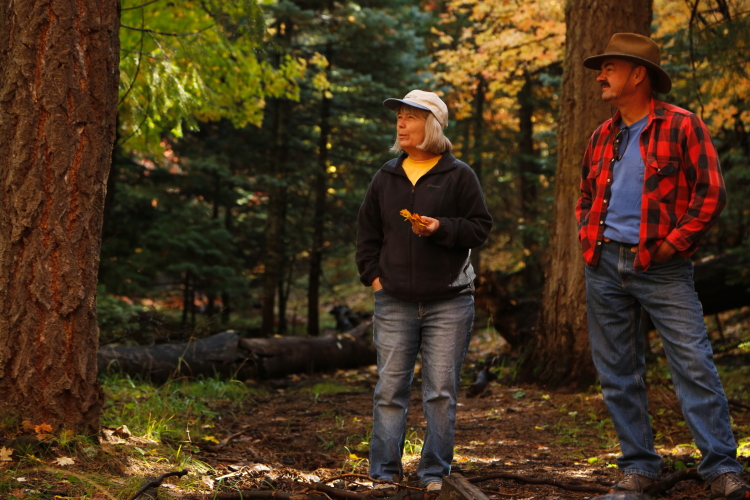
Expressions, if you can capture them, are worth a thousands words.  Whether you anticipate and wait for it, or just get lucky.  Here you can hear the oohs and ahhs of my friend and husband as they revel over the magnificent fall colors we were fortunate enough to enjoy.

deanna john uhahi

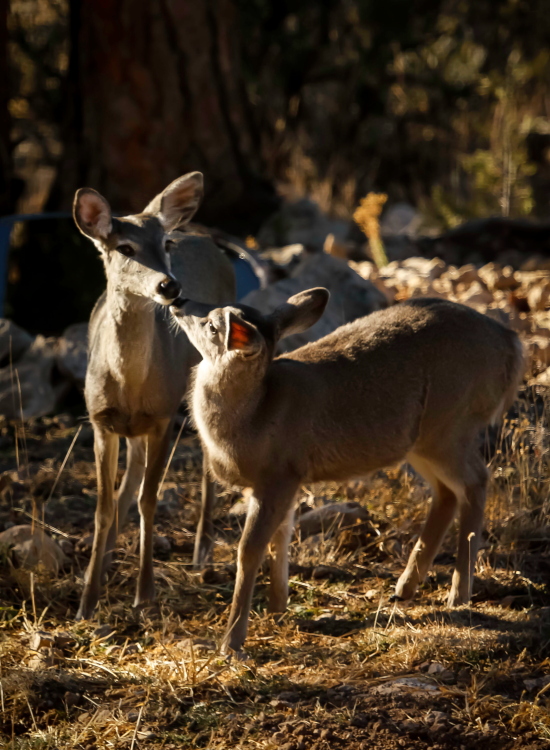
Or the tender moment between a deer mom and her little one.

monand lilone_PSi

Thanks, Moose.  I’m working on it.

Photographic Style

When I first started this endeavor of throwing myself into my photography and learning, improving, practicing, and publishing, I read a lot about Photographic Style.  These books recommend that you choose one.  What the heck does that mean?  Why can’t I just shoot whatever I want, whenever I want, as it appears to me?  I pretty much disregarded the advice.

Now, as I look at my photos, I realize, I didn’t disregard it… I did make a decision,even if it might not have been conscious.  I dislike taking photos of people.  I am just uncomfortable pointing a photo at a person as I feel it invades their space.  That may seem silly, but it’s just not my thing.  So I avoid it.  (That being said, I am trying to get more into it, as it does add a lot to a photo.)

bukchomp_ssi

I naturally find myself taking photos of my environment.  Those are the types of photos that inspire me, and make me comfortable.  I love capturing the Landscape and Wildlife that surrounds me.  I can be at peace with those subjects, take my time, and carefully compose the perfect picture.

So I guess my Photographic Style found me… I’m a Landscape and Wildlife photographer.  Hmmm.  I’m way ok with that.

Camera Settings: sRGB vs. Adobe RGB

buck_PEi

I was fortunate enough to go to Photoshop World in Vegas this past September.  It was a valuable experience on my levels.  I signed up for a Portfolio Review, where for $25 you bring 15 – 20 pix and they pair you with a photographer in your same category (Wildlife in my case).  I was delighted to find myself sitting next to none other than Moose Peterson himself.  Wow!  His wildlife and aviation pix are legendary.  Let’s just say, I had most certainly heard of him before!

Moose was very kind with his critique, though very humbling.  Photos that I thought were, while maybe not world class, at least good… didn’t make the cut as far as Moose was concerned.  I went home a little deflated, but encouraged and inspired to do better.  He explains his philosophy that no ‘critter’ shot should be tampered with, not even cropped!  Just when I’m finally getting better at Photoshop.   Well… I reserve the right to consider that approach, as I freely admit to the occasional crop or exposure adjustment.  Hmmm.

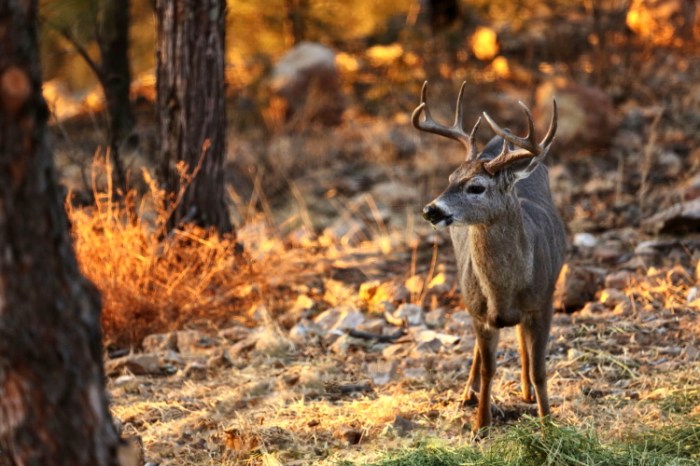
One very interesting comment he made was relative to my camera settings.  He took one look at the picture posted here, and suggested that my camera settings were on sRGB and I should change them to Adobe RGB.  He looked at one photo, and by that alone, declared my camera settings.  You can see that?  Really!?   I was stunned.  He explained that sRGB is 256K of colors, while Adobe RGB is 14 million colors, hence the ‘monotone’ look of my buck picture.  Wow!  Of course the first thing I did when I got back to my room was check my camera settings.  He was dead on.  I was set on sRGB.  I instantly re-set my camera to Adobe RGB.

A little research online tells a different story.  Adobe RGB is best if you are going to print.  sRGB is best if you are emailing.  But, then you can find any answer you looking for online, irregardless of what you want it to be.  For me, I have it set on Adobe RGB, and I’ll be leaving it there, unless I learn something compelling to change it.