Sun Burst

Maybe you knew this… but I recently learned it, so I thought I’d share.

dkburst3PSi

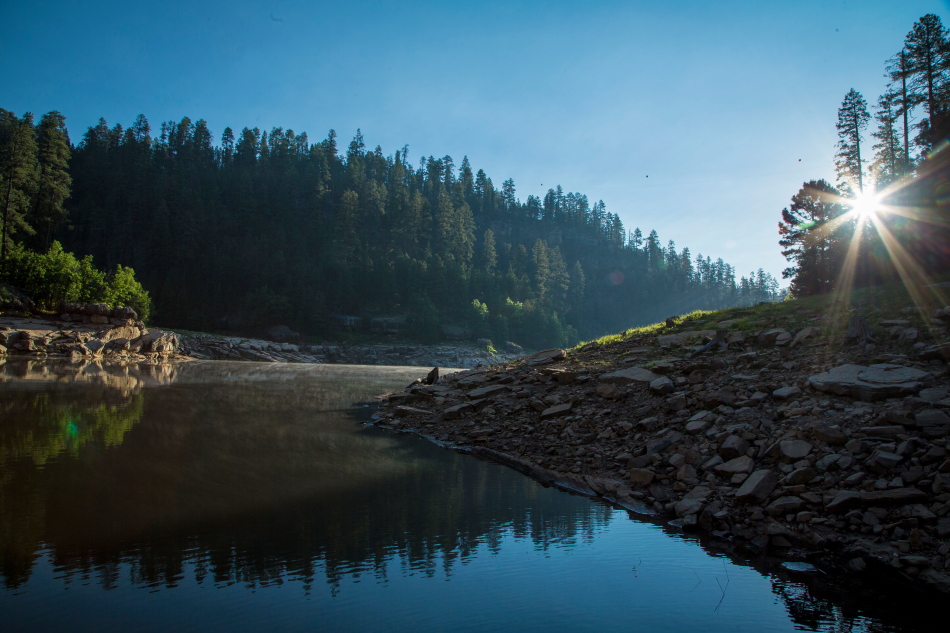
Somehow, I assumed those sunburst photos I saw in magazines were Photoshop’d.  I thought they had some filter or plug-in that they applied to a sun to give it that starburst effect.

Not so!  Set your aperture on f/11 or f/16 and point at the sun.  (I know, we were all taught not to point at the sun… someone’s been keeping this cool trick from us!).  Hide the sun behind a piece of tree to obstruct the full blast of the sun, and move around until you see the starburst.  Click!

burststmPSi

It’s Whats for Dinner

My www.krittersmenu.com has a category, It’s What’s For Dinner.  In the terms of my foodie blog… it’s what we have for dinner and recipes and ideas worthy of sharing.

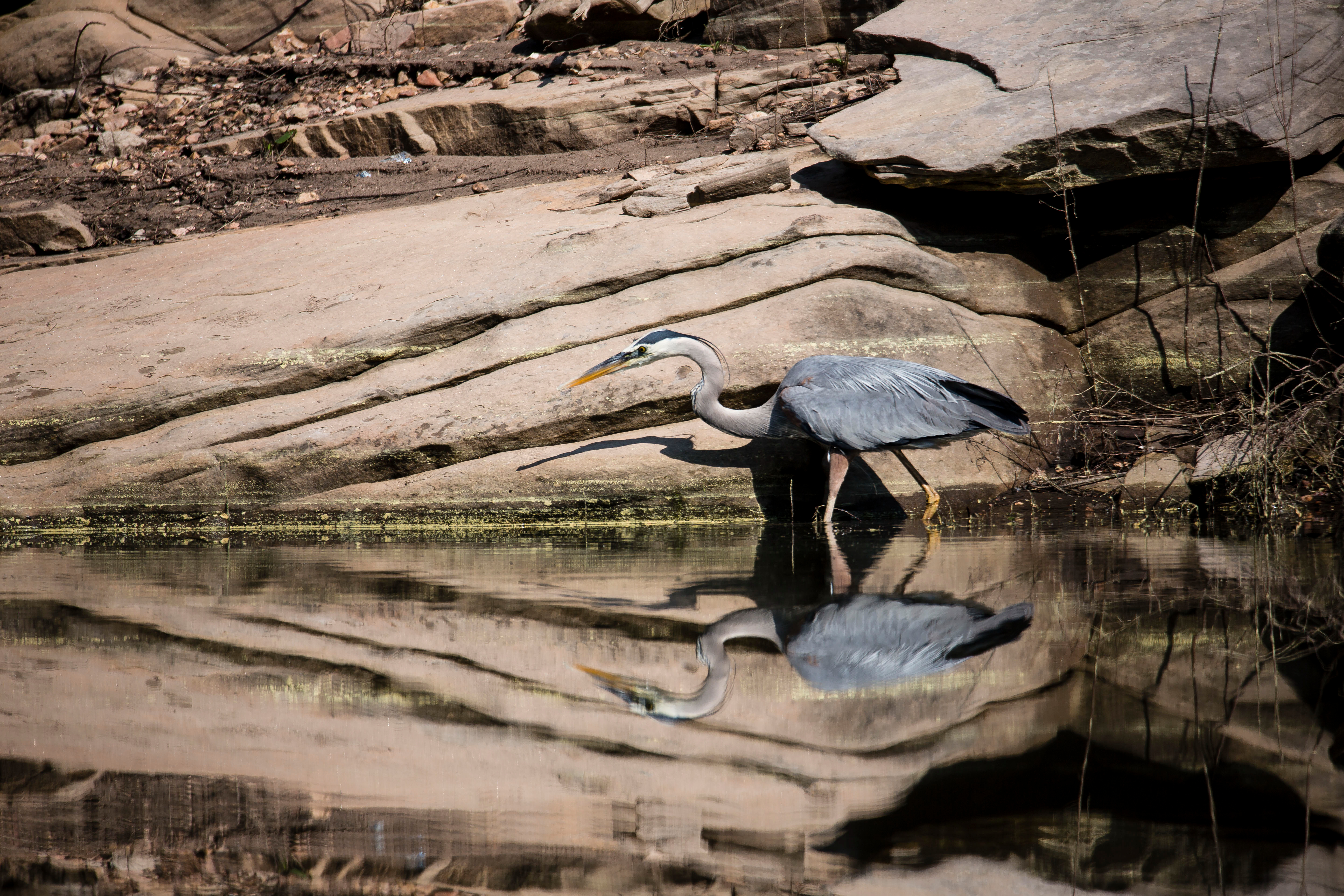
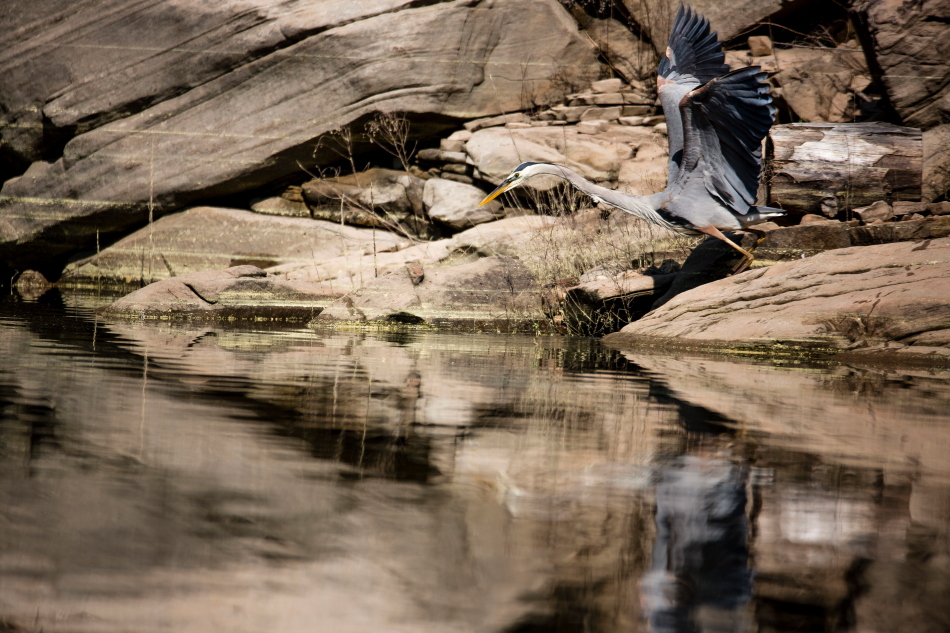
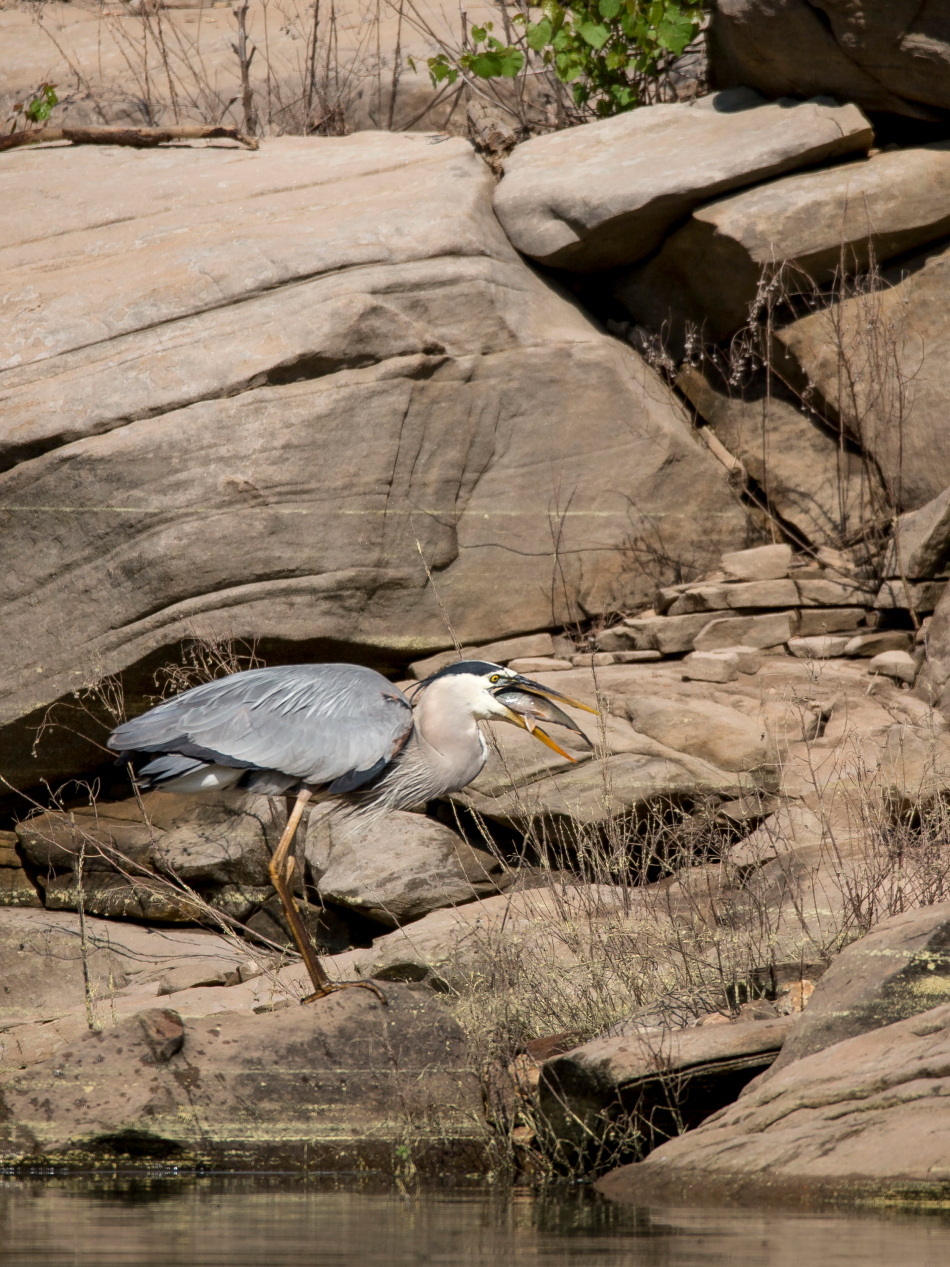
On this photography blog, it’s not so much what we had for dinner… but what our fair weathered friends did, making for a photographic story of nature and the food chain.  Case in point, this blue heron in search of a meal.

blu reflctPSi

The hunt

blu wingsPSi

The target identified

blu dinner 1PSi

The catch

blu gulpPSi

Gulp!

It’s What’s for Dinner.

Car Trails

rokstrkPSi

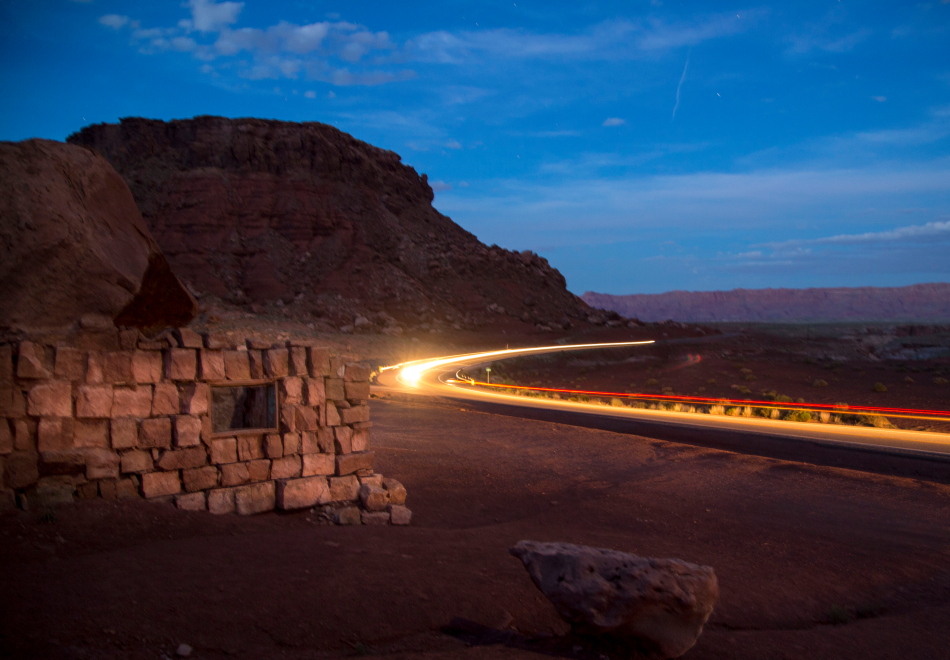
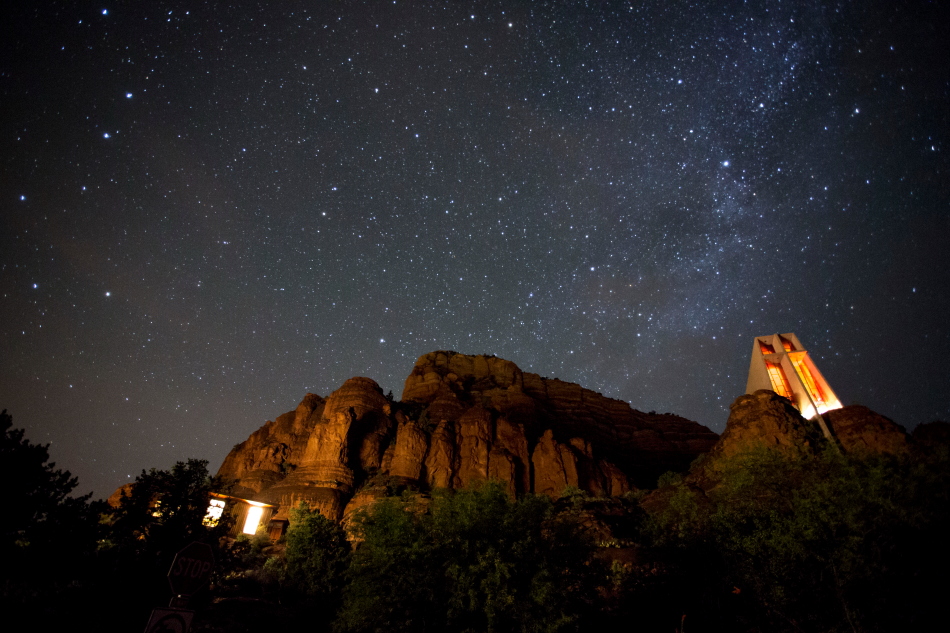
You can tell I have dusted off my tripod and am doing some interesting night photography.  With these cars zipping by this lonely quiet (and dark) stretch of 89A in Lee’s Ferry, I had the perfect opportunity to try some car trails.  I set up the camera and used my headlamp to focus at my distant subject.  Then I set up my tripod and set it on a long exposure of 20 seconds.

star streamPSi

The forward going lights were cool… but bright starbursts.  Things got even more interesting when I moved around to let the car lights light up my subject… and even more interesting when trucks with multiple lights sped by.

truckcurvPSi

houselitPSi

Lee’s Ferry / Vermillion Cliffs

verm cliff starsPSi

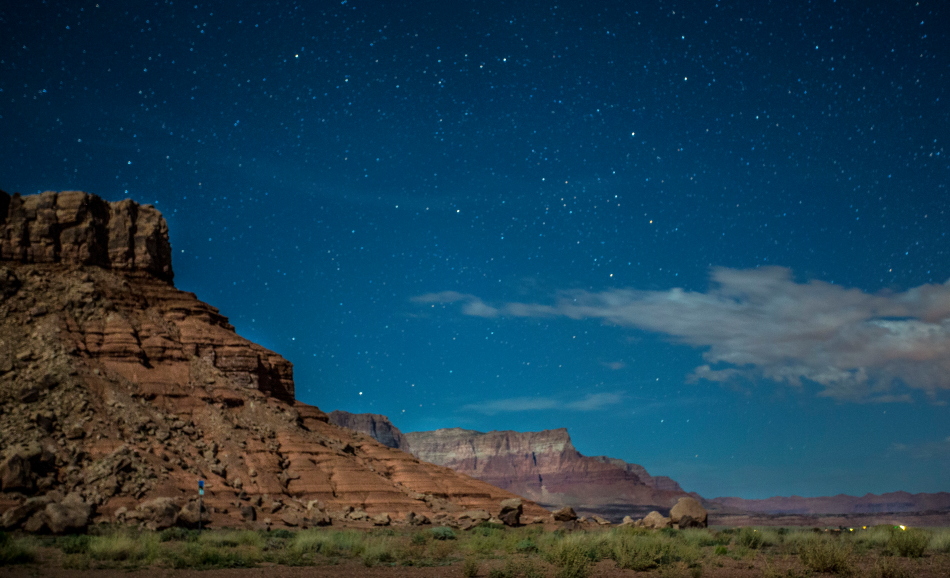
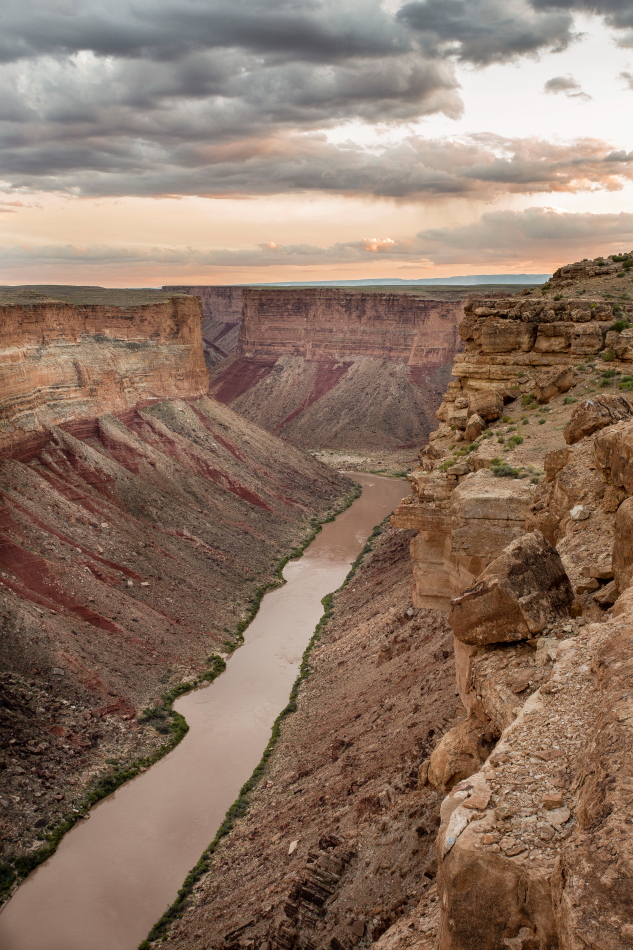
Lee’s Ferry is that desolate less talked about destination outside of Page.  Everyone hears about Grand Canyon and Antelope Canyon, but few are familiar with Lee’s Ferry.  Lee’s Ferry is the launch point for Grand Canyon rafters.rafteesPSi

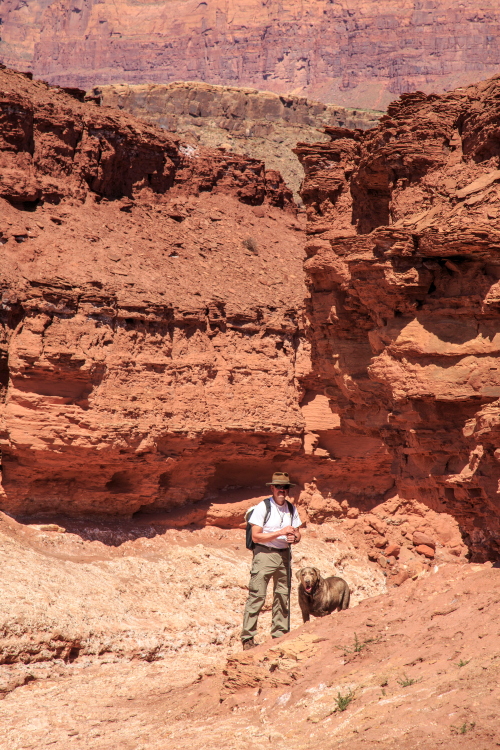
It’s cliffs and buttes are part of the Vermillion Cliffs National Monument and Soap Creek area.  We had intended to explore the area with our boat, but apparently the boat had other ideas and wasn’t up for the trip.  So instead we did some hiking.  Our dog, Journey, kept us from doing anything to strenuous which was fine.jj cath wash vertPSi

The area is very cool with all it’s rock formations and boulder ‘art’.

ruinfrtPSi

soapcrkvertPSi

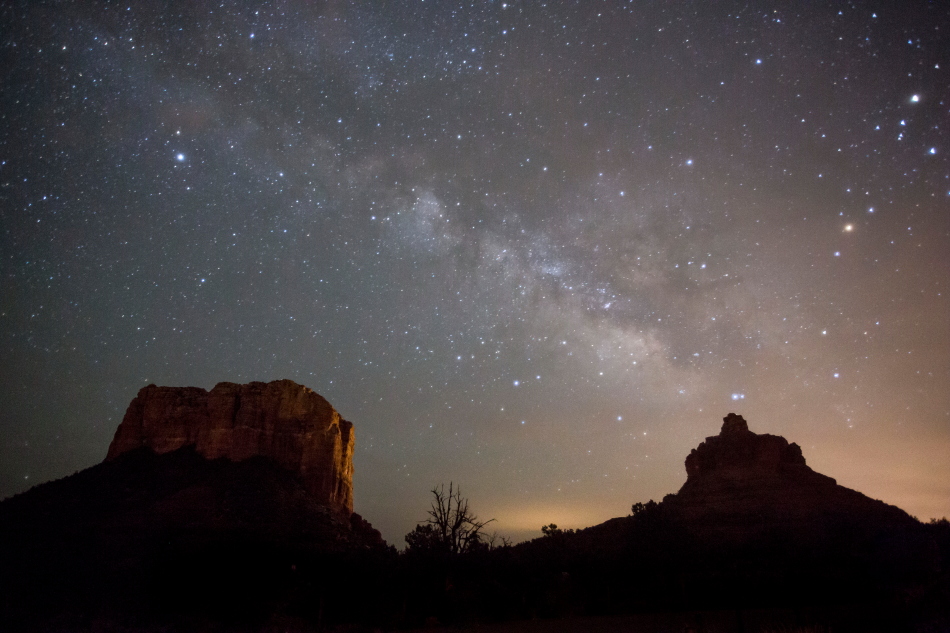
Being in the middle of nowhere the stars were brilliant and picturesque.  Next time we hope to take the boat and see Lee’s Ferry from an entire different perspective.

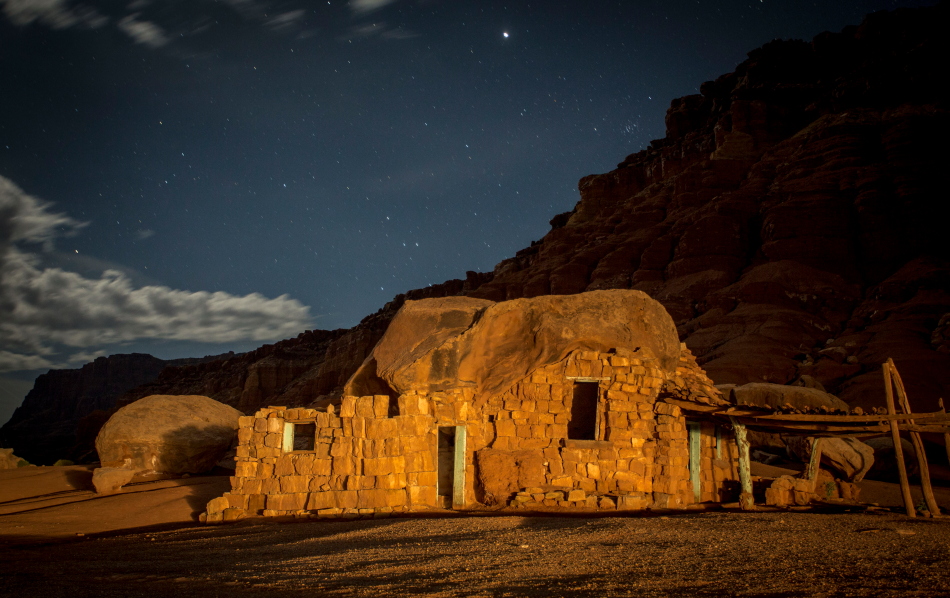
ruinlitPSi

ND Filter

So I bought a 10-stop ND filter for Scott Stulberg’s workshop… but never got a chance to use it.  So when we were in Lee’s Ferry and did the waterfall hike, I had to try it out.  The 10 stop ND filter is pitch black.  You can’t see anything through it when you use it.  It’s main purpose is to give waterfalls that silky ‘cotton candy’ motion blur in bright daylight.  You focus and compose your photo first, then put the blind filter on the camera (on the tripod), and do a long exposure.  Fascinating tool!

falls1closPSi

HDR Effects

slattrk closHDRi

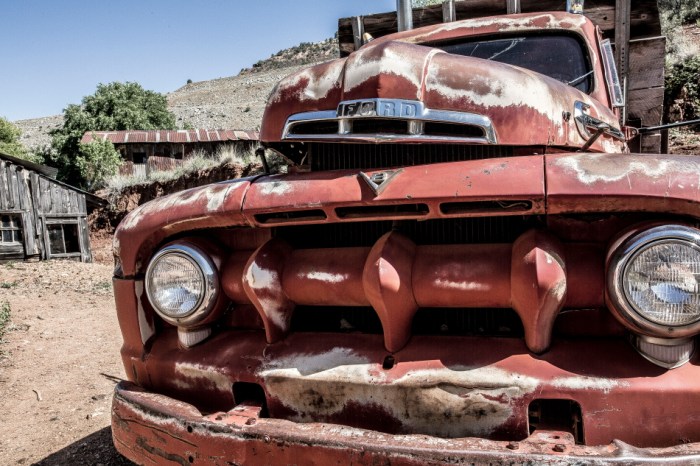
Following Scott Stulberg’s workshop, I guess this week is all about special effects.  Cool and fun as they may be, I am an old fashioned kind of gal.  I tend to like the traditional landscapes and wildlife photos, done the old fashioned way… in camera.  Having said that, some photos just lend themselves to such effects.  Case in point… old cars are often done in an HDR effect.

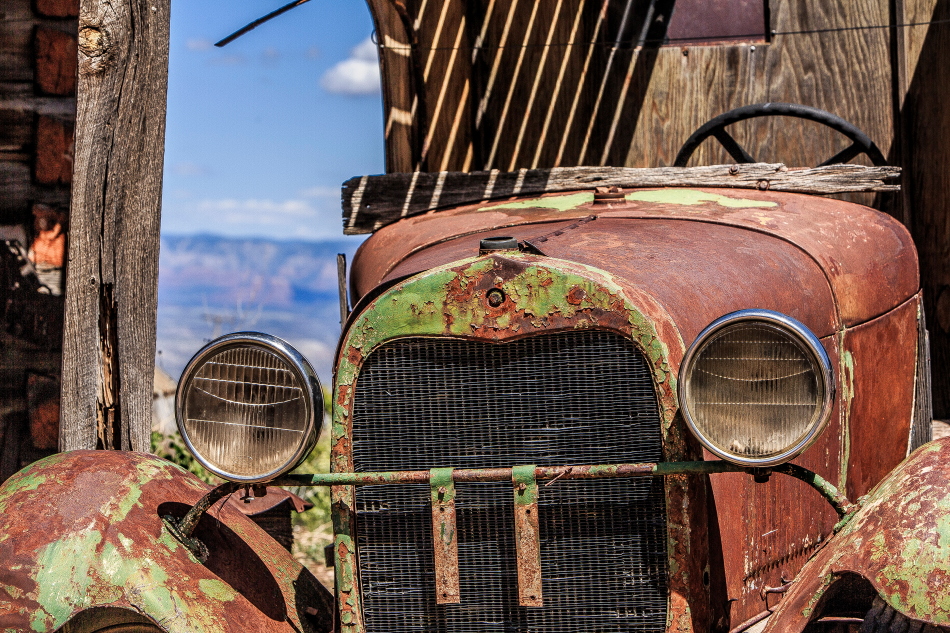
Now HDR (High Dynamic Range) means two things to me… (1) blend 3 exposure compensated photos – light, neutral, and dark together to balance high contrasting scenes, and (2) an ‘artificial’ over-the-top high pass graininess and unsaturated look over a photo, bringing out the texture, rust, and old paint of such subjects.

smileytrukHDRi

I haven’t studied HDR much, and I know there are numerous pre-sets in multiple 3rd party apps… Topaz, Nik, Lightroom, etc.  I don’t use pre-sets.  I like knowing how to do anything I do with the sliders in Photoshop.  I also don’t really like the unsaturated look like traditional HDR effects, sort of like the below. It seems so ‘over done’ to me.

shadwtop_hdr toningi

So I devised my own ‘formula’ for HDR in Photoshop ACR (Adobe Camera Raw, or Develop Mode in Lightroom), adjusting of course for each individual photo and personal tastes:

Highlights:  Slide far left, darkening Highlights

Shadows:  Slide far right, minimizing Shadows

Blacks: Slide left (blacker)

Whites: Slide right a little (whiter)

Clarity:  Slide right to the MAX (this is where most of you HDR effect comes from)

Saturation:  Slide left de-saturating colors (to personal taste)

DETAIL tool

Sharpening, Radius, and Detail:  Slide all 3 to the right, MAX
redfordHDRi

fordstar2HDRi

selfportPSi

Star Trails

StarStaXPSi

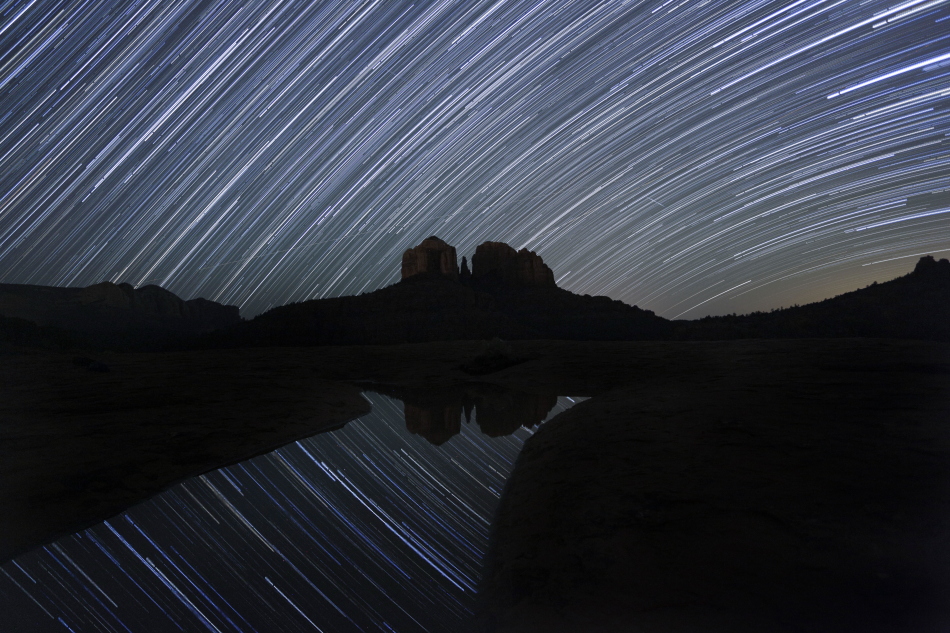
Ok, now this is cool!  Scott stayed up with us all night to get this shot.  It’s a 1 hour and 15 minute exposure, 30 seconds at a time.  It literally tracts the movement of the stars across the sky.  The free software StarStaX stitches it together making it super easy to do… other than waiting around for the exposure.  But then, I’d argue, that was the best part.  Thanks, Scott.  You’re awesome!

Light Painting

lightpaint basicPSi

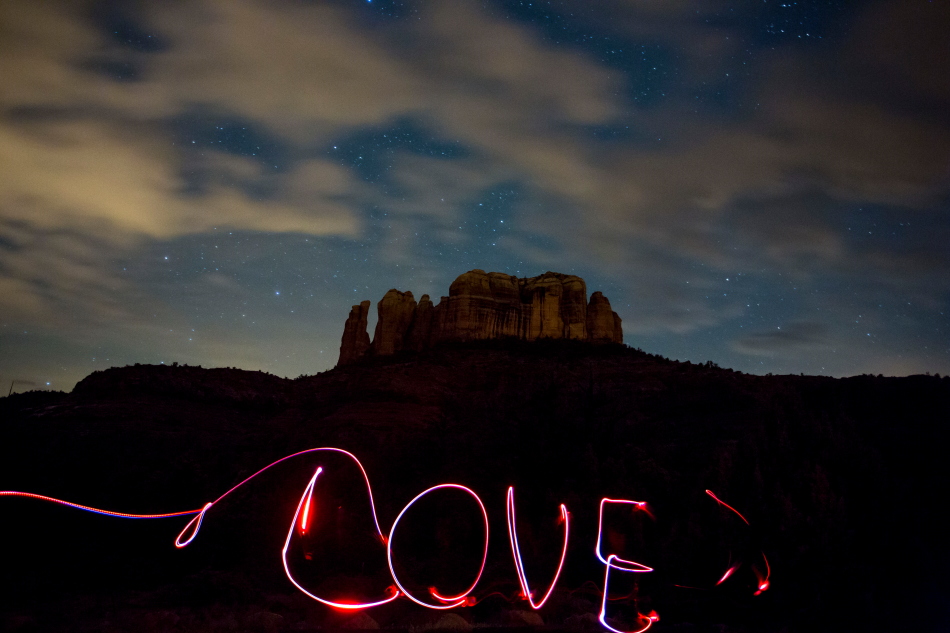
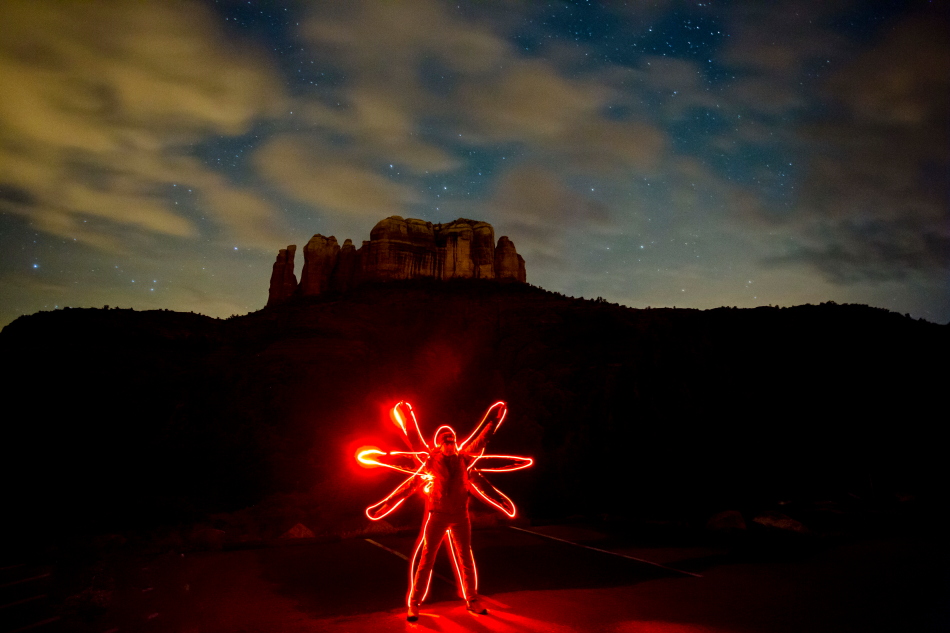
I have never done light painting before, so this was my first time.  I was surprised at what you could do with it… and how easy it was really.  Set your tripod up on your night time scene.  Dependent on your aperture and focal length, focus around 50′ (light up something approx that distance away and focus.. then turn all lights off).  At your lowest aperture f2.8 or f4.0, set camera on Manual and set to a 30 second exposure.  Fire a test shot to be sure your exposure and composition look about right.

Then run across the scene like a crazy person twirling colored lights (not too bright of lights).

lovePSi

davinciPSi

I’m not sure how practical this technique is.. but it was fun and interesting none the less.  Thanks to Scott Stulberg for showing us.  Pretty cool.

Check out my other Sedona pix at https://kritterspix.com/pix and http://kritterspaw.com

Focus Stack

Have you heard of Focus Stack.  My guess this isn’t the first time… or the last you’ll hear of it.  I have heard a lot about it… and have a lot to learn, but it is all the rage in photography.  It’s a method employed by professionals and amateurs alike.  It’s what wins contests today.  Forget about setting your camera on a small aperture, f22 and getting everything from foreground to background in focus.  Today, that method is passé, and yields softness or blurry portions in the photograph, dependent on where you focus.

There are a number of free Focus Stack softwares out there that will automatically analyze a series of photos and merge them together such that everything is tack sharp.  You take several photos, one focussing on foreground, one focussing on middle ground, and one on background… select them all and the software does the rest.  It’s magic… truly!

So I thought I’d give it a go using just Photoshop (without the Focus Stack software…. no doubt that will be a later experiment).   Matt Kloskowski demo’s this method in his terrific new Mt. Rainer landscape class            (http://www.mattk.com/my-new-mt-rainier-landscape-photography-class-is-live/).

So I pulled out a couple Barlett lake pix out of my archives.

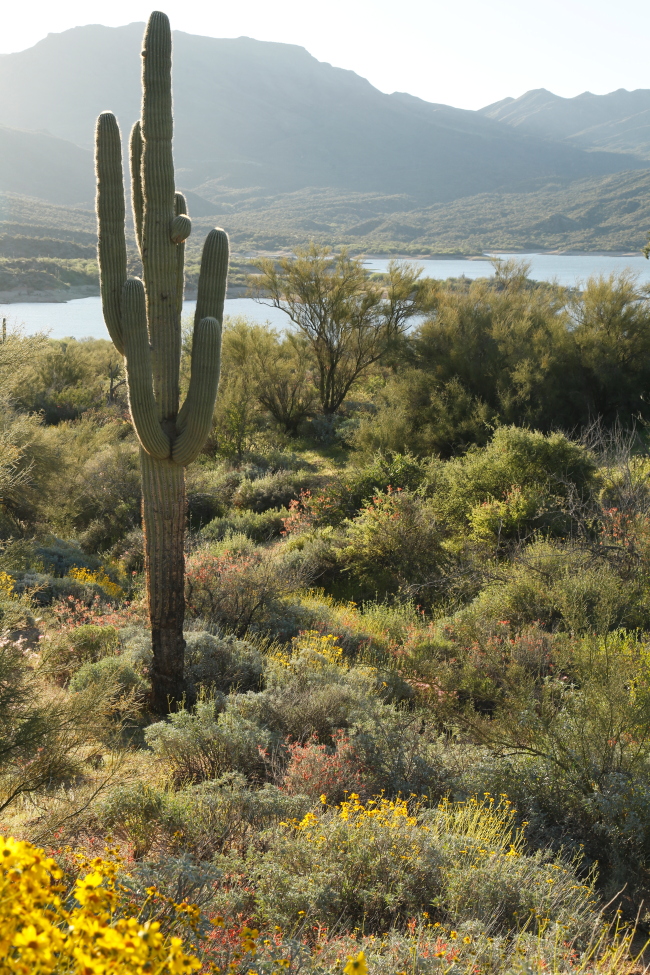
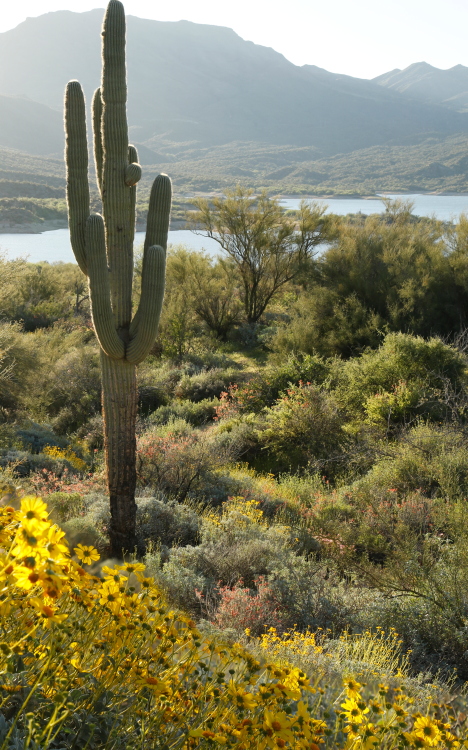
The first has the cactus in focus, but the foreground flowers are out of focus.. (and mostly absent).

_40A7000i

The second photo has the cactus blurred, but the flowers are more prevalent and in focus:

_40A7004i

Using Photoshop I open both pix in one file creating 2 layers.  I then select both and Edit-Auto Align Layers to make sure both layers are directly on top of on another.  I then add a mask to the second photo (with blurred cactus and sharp flowers) and Command-I (inverse) to blacken out the whole photo.  Then using white, and the brush tool, I paint the sharp flowers (second photo – mask selected).  What happens is I paint the sharp plentiful flowers through to the 1st layer, painting over the blurred flowers of the first photo.

flowers cactus mergedii

I must admit, I’ve not done a lot of this sort of composite work in Photoshop… but seeing how powerful it is, I know why it is so popular.  Amazing!